Secure Remote Access to Your Servers Without Port Forwarding (Tailscale Guide)
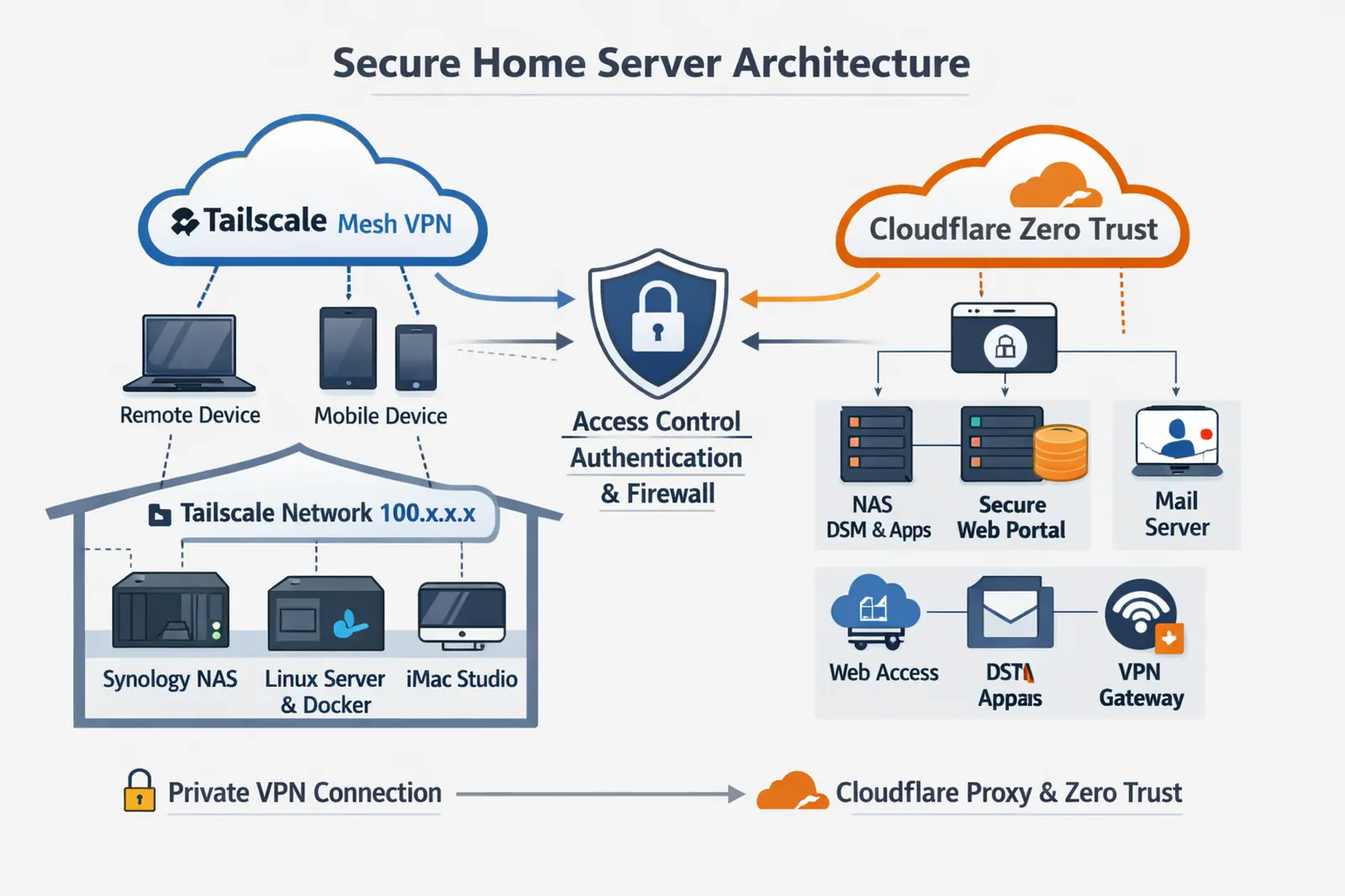
Building a Secure Home Server Architecture with Private and Public Access Separation
In modern self-hosted environments, one of the biggest challenges is balancing accessibility with security. This setup demonstrates a practical approach to exposing services publicly while keeping core infrastructure protected and privately managed.
Overview
The architecture separates access into two distinct paths:
- Public-facing services Delivered securely through a reverse proxy and zero-trust access layer.
- Private administrative access Handled through a secure mesh VPN, completely isolated from the public internet.
This separation significantly reduces the attack surface while maintaining flexibility and usability.
Public Access Layer
Public services such as web applications and portals are exposed using a cloud-based proxy and tunnel system.
Instead of opening ports on the local network:
- Services initiate outbound connections to the cloud edge
- No inbound ports are required on the firewall
- The origin server remains hidden from direct internet exposure
Additional protections include:
- Authentication gateways (Zero Trust)
- TLS encryption
- IP masking of the origin server
- Optional access policies per application
This design prevents direct scanning or probing of internal services.
Private Access Layer
Administrative access is handled through a private mesh VPN network.
Key characteristics:
- Devices join a secure, identity-based network
- Each node receives a private IP address (e.g., 100.x.x.x range)
- Access is restricted to authenticated devices only
This allows:
- Direct access to internal systems (NAS, servers, containers)
- No reliance on port forwarding or public endpoints
- Encrypted communication across any network
This layer is used exclusively for management and internal operations.
Internal Infrastructure
Behind the access layers, the environment consists of:
- A network gateway/firewall managing segmentation and routing
- A storage system for file services and applications
- A Linux-based server running containerized workloads
- Various self-hosted services (web, media, automation)
Some services are:
- Public (routed through the tunnel)
- Private (accessible only via VPN)
This selective exposure ensures that only necessary services are reachable externally.
Traffic Flow Summary
Public users:
Internet → Cloud Edge → Secure Tunnel → Internal Service
Administrative users:
Authorized Device → Private VPN → Internal Network → Services
These paths never overlap, which is critical for maintaining security boundaries.
Security Advantages
This architecture provides several benefits:
- No open inbound ports on the home network
- Reduced visibility to scanners and automated attacks
- Strong authentication before service access
- Separation of public and private traffic
- Encrypted communication across all layers
Additionally, even if a public endpoint is discovered, internal systems remain inaccessible without proper authentication.
Conclusion
By combining a tunneled public access layer with a private VPN management layer, this setup achieves a strong balance between usability and security.
It avoids traditional risks associated with port forwarding and direct exposure, while still allowing convenient remote access and service delivery.
This model is especially effective for home labs and self-hosted environments where both flexibility and protection are required.